
Let people install your templates.
Publish each release of your template repo as a bundle: three files on its GitHub release. Then anyone with the m0saic CLI adds your templates with one line, and every command sees their ids. No clone, no build, no flag.
$ m0saic install you/my-templates
⚠  Installing third-party template code from you/my-templates.
   …
✔ Install @my-templates (My Templates) v2026.10.1 (1 template, 11 KB)? … yes
✓ @my-templates v2026.10.1 installed (1 template, unsigned)
  m0saic list-templates lists its ids. Remove it: m0saic uninstall @my-templates
The tag, the commit, and each archive’s sha256 and size. An install checks both archives against it.
dist/, the manifests, package.json and your LICENSE. What a render reads and nothing else: no src/, tests or node_modules.
Your templates’ preview images and videos, for the gallery in Mosaic Desktop. The CLI never downloads it.
Add the packer (once)
The packer is two files with no dependencies, Node built-ins only. Copy them into your repo’s tools/ from the template starter and give it an npm script. It writes to bundle/, which stays out of git.
Build, commit, pack
Pack from a fresh build of the commit you are releasing. The bundle records that commit, and the packer warns when your files differ from it. Any tag works; the starters use the date, vYYYY.MM.N.
✓ @my-templates (1 templates) → bundle/
  runtime.tgz   0.0 MB  23 files  unsigned  treeSha256 3b8ba661826d
  previews.tgz  0.3 MB  3 files

Publish: gh release create v2026.10.1 bundle/bundle.json bundle/runtime.tgz bundle/previews.tgz
Unsigned is expected: only m0saic’s official repos are signed, and an install says which it is. Your dist/ can stay out of git, because the bundle carries the build.
Try it on your own machine before you publish. It asks before it installs; answer y.
⚠  Installing third-party template code from /Users/you/my-templates/bundle.
   This code is not written or reviewed by m0saic and runs with your access to
   files, network, and programs, now and in every command that loads templates.
   m0saic LLC is not responsible for third-party template code. Only install repos you trust.
✔ Install @my-templates (My Templates) v2026.10.1 (1 template, 11 KB)? … yes
✓ @my-templates v2026.10.1 installed (1 template, unsigned)
  m0saic list-templates lists its ids. Remove it: m0saic uninstall @my-templates
Installed @my-templates (My Templates): v2026.10.1, unsigned, 1 template
@my-templates/basics/hello-world/v1
Attach the three files to a GitHub release
Or on github.com: Releases, then Draft a new release, choose the tag and drop the three files in. Keep their names. The CLI finds your newest release at releases/latest/download/bundle.json, so m0saic install you/my-templates always gets the latest one, and you/my-templates@v2026.10.1 gets that tag.
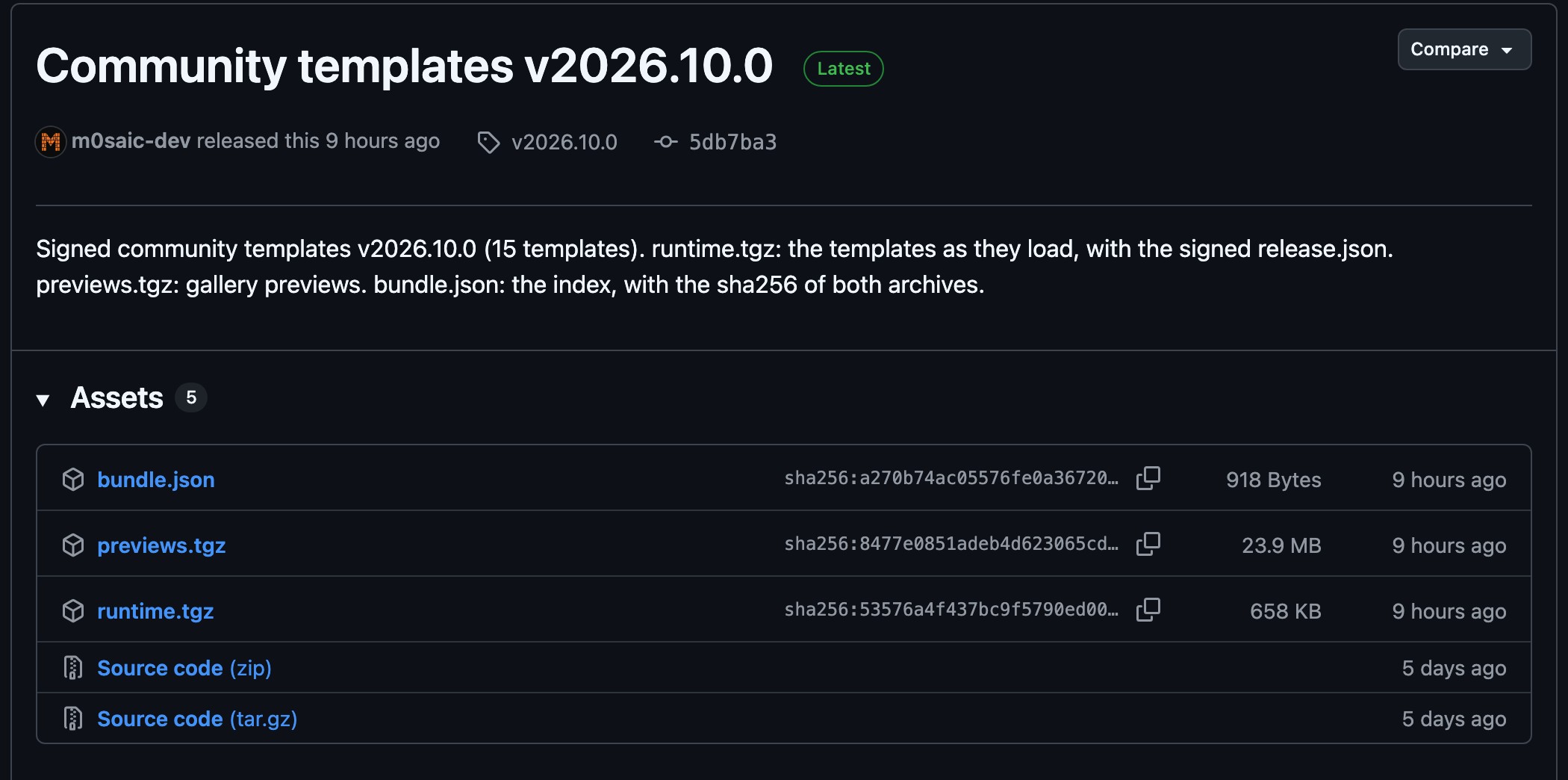
Tell people
Put the line in your README. It shows what it is about to install and asks first; running it again updates the installed copy, or says it is current. In CI or a script, add --yes: with no terminal to ask on, it installs nothing without it.
Sharing a template from Make in Mosaic Desktop? Under Where to get this template, put your GitHub repo and tick This repo publishes m0saic release bundles. The link then carries the install line: whoever opens it sees m0saic install you/my-templates before the render command.
npm run build && npm run verify
git commit -am "..." && git push
npm run bundle -- --tag v2026.11.0
gh release create v2026.11.0 bundle/bundle.json bundle/runtime.tgz bundle/previews.tgz
Next: write a template with your agent · the template starter · the community library